Advanced Composites
Advanced Composites contain all the available options of a Basic Composite template, but they allow for more options and creativity. Additional options include the use of shapes and shape masks, overlay images, and opacity settings.
- Click on Creating Advanced Composites to learn how to create these in the Product Editor.
- Click on Pricing Advanced Composites to learn how to manage and price them in the Product & Pricing Manager.
Example 1
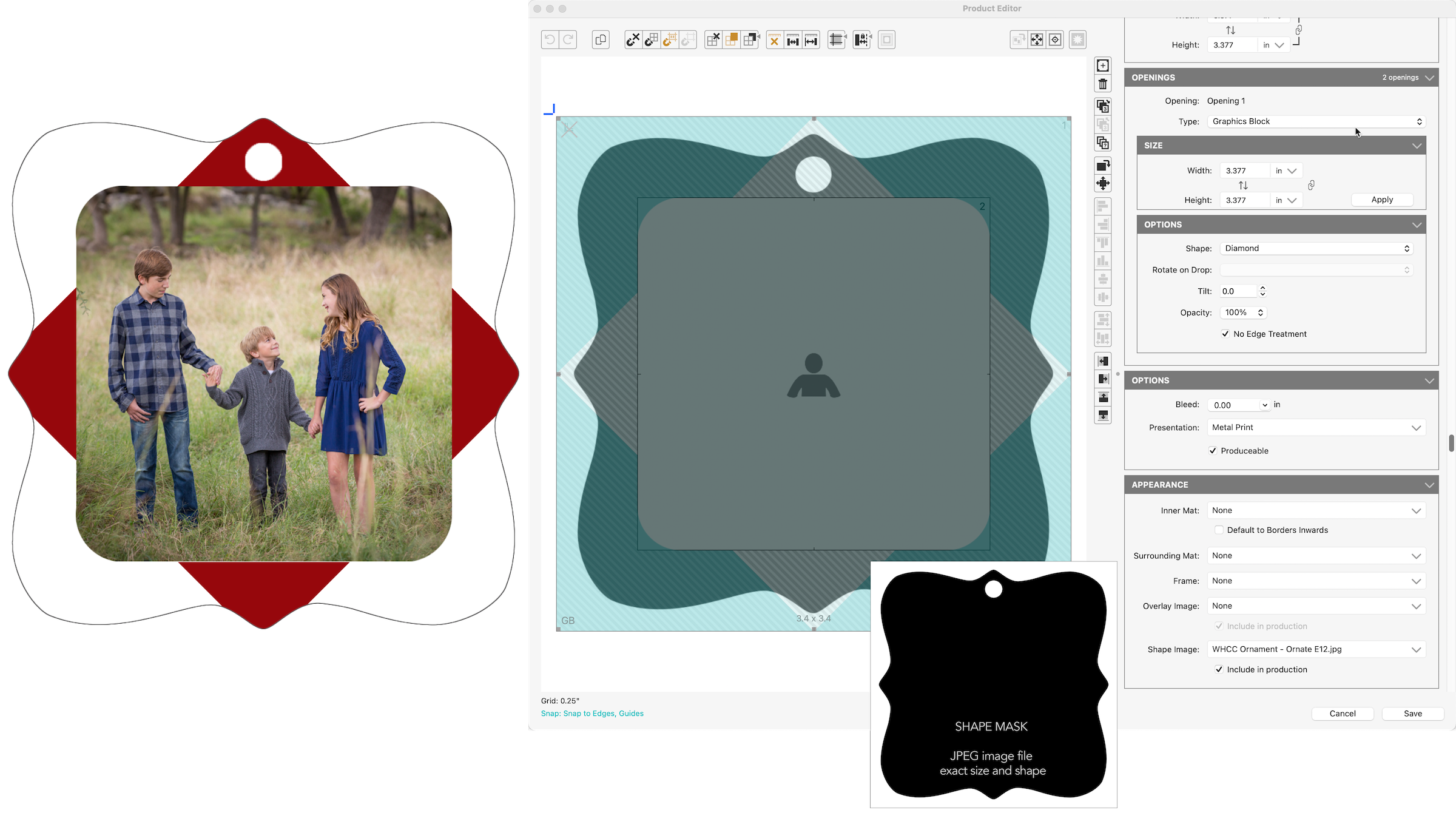
The following example utilizes several of the Product Editor's advanced features:
- Tilted Opening
- Graphic Block
- PSD Overlay for automatic text replacement
- Opening with modified opacity
Example 2
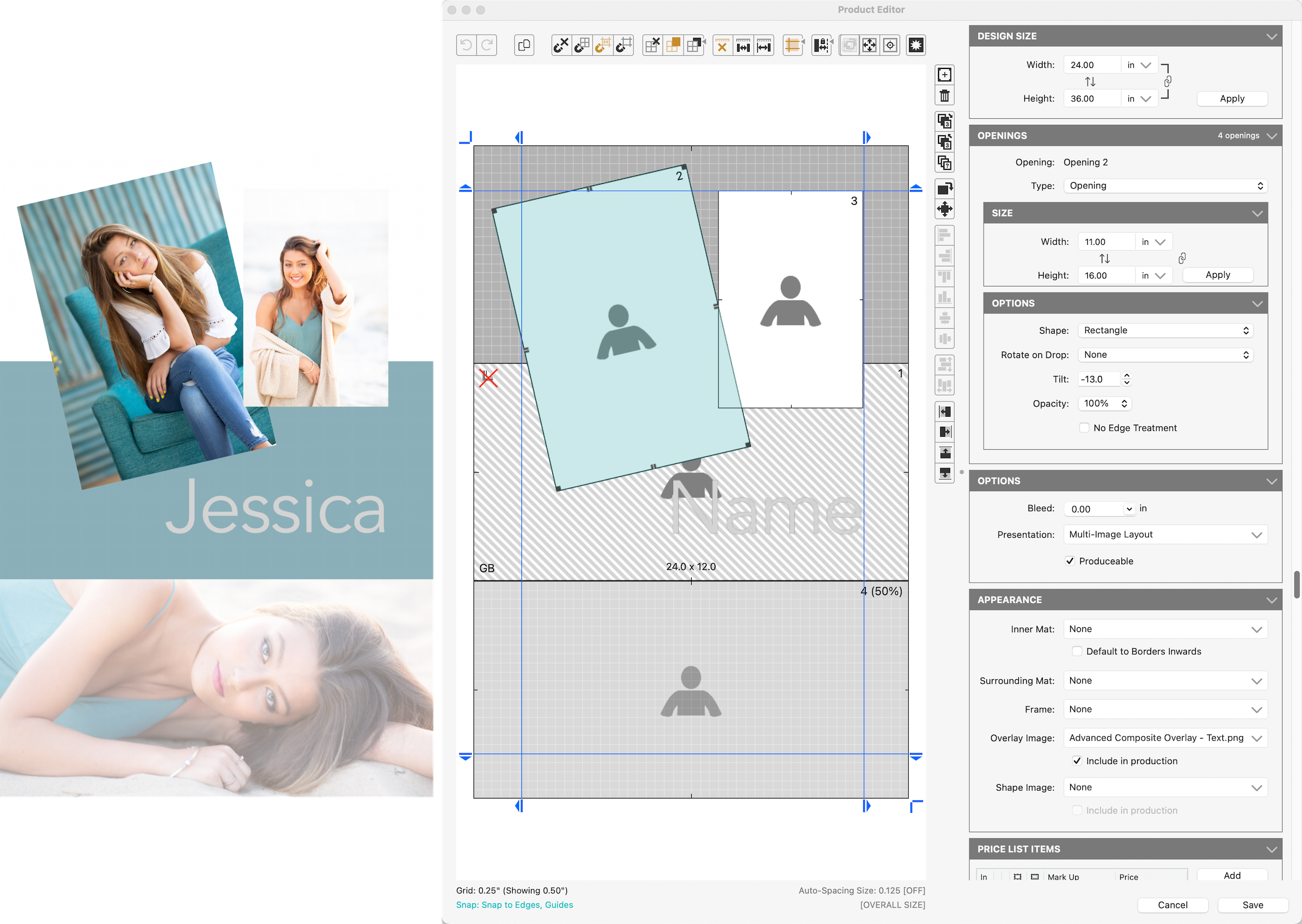
The following example is a metal holiday ornament utilizing several of the Product Editor's advanced features:
- Shaped Opening (Diamond) as a Graphic Block
- Shaped Image Opening (Rounded Rectangle)
- Shape Image Mask to define the unique outside shape
When the final composite is rendered in High-Res Production, the shape is not applied so that adequate space is allowed for the die-cutting at the lab. All elements are in the exact required positions.
This product could have been created as an Advanced Composite OR a Speciality Product. The Advanced Composite was chosen so the size of the ornament would show on the invoice.