Proof Sheets
Proof sheets are printed pages that show a collection of images, products, or book pages in a grid format. They are used to review, share, or present images to clients for selection or approval. In ProSelect, you can print different types of proof sheets—images, product designs, or book pages—with options to adjust layout, include image details, and add stamps.
Proof sheets can be formatted and printed by going to the top menu, File > Print > Proof Sheets.
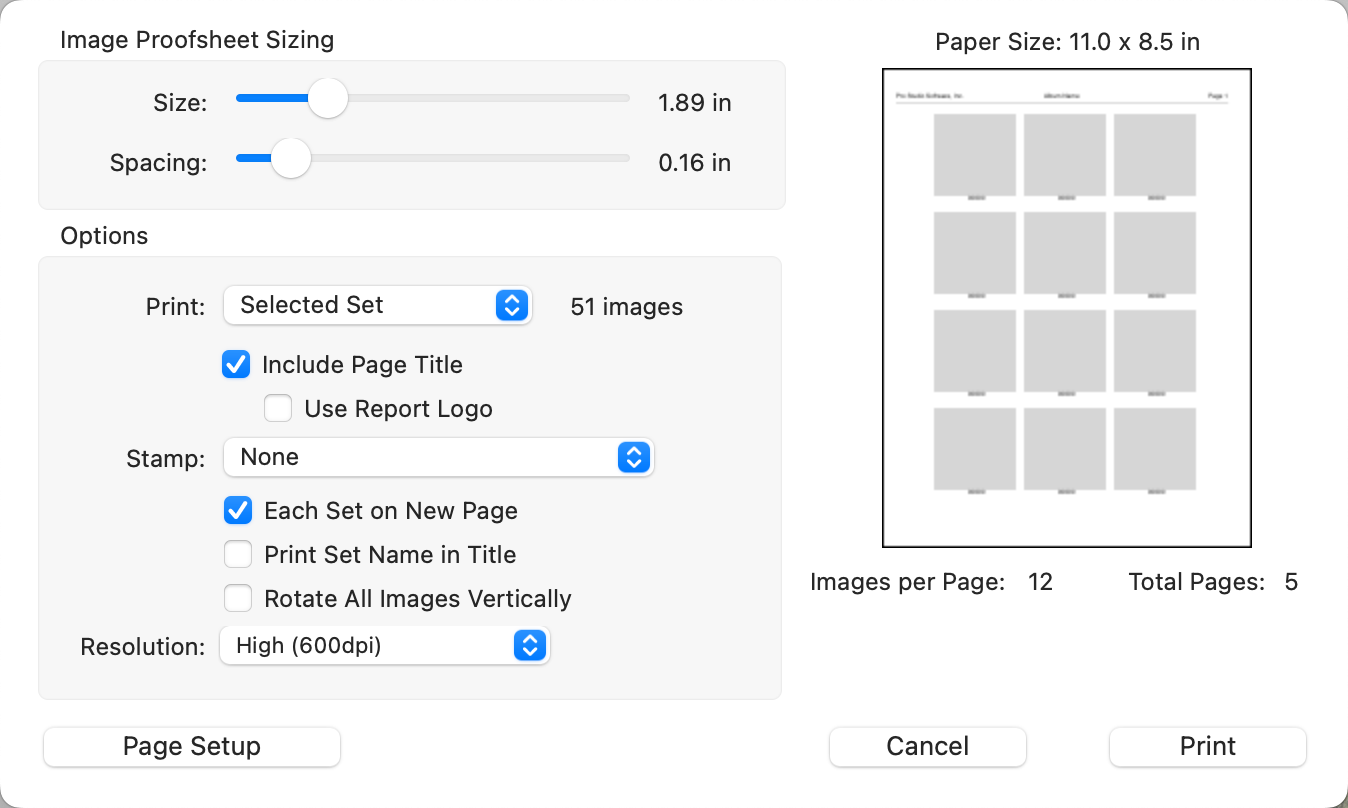
Image Proof Sheets offer various styles for printing detailed previews of your images.
- To print a proof sheet, go to the top menu, File > Print > Proof Sheets > Images.
- Here, you can adjust the size and spacing of the thumbnails using the size sliders.
- Select a set from the drop-down list.
- For additional customization, such as changing the page size, orientation, or margins, click the Page Setup button.
- You have the option to apply a custom stamp from your configured options in the "Stamps, Watermarks & Logos" section to each image in the proof sheet.
- Optionally rotate all images vertically.
- You may need to experiment a little to get the proof sheet layout just right for your needs. Once you’ve set your preferred options, ProSelect will remember them the next time you print a proof sheet.
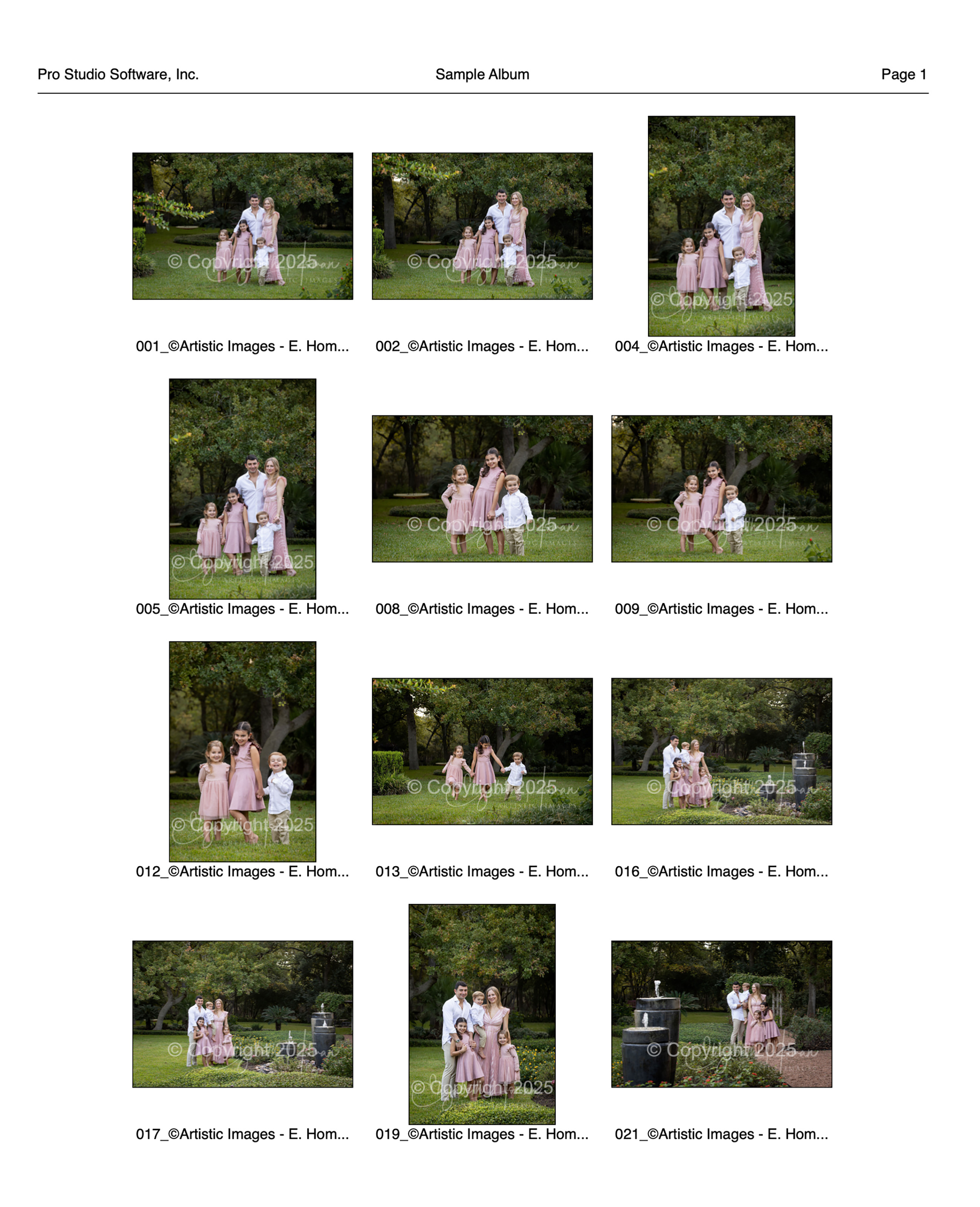
Sample Image Proof Sheet
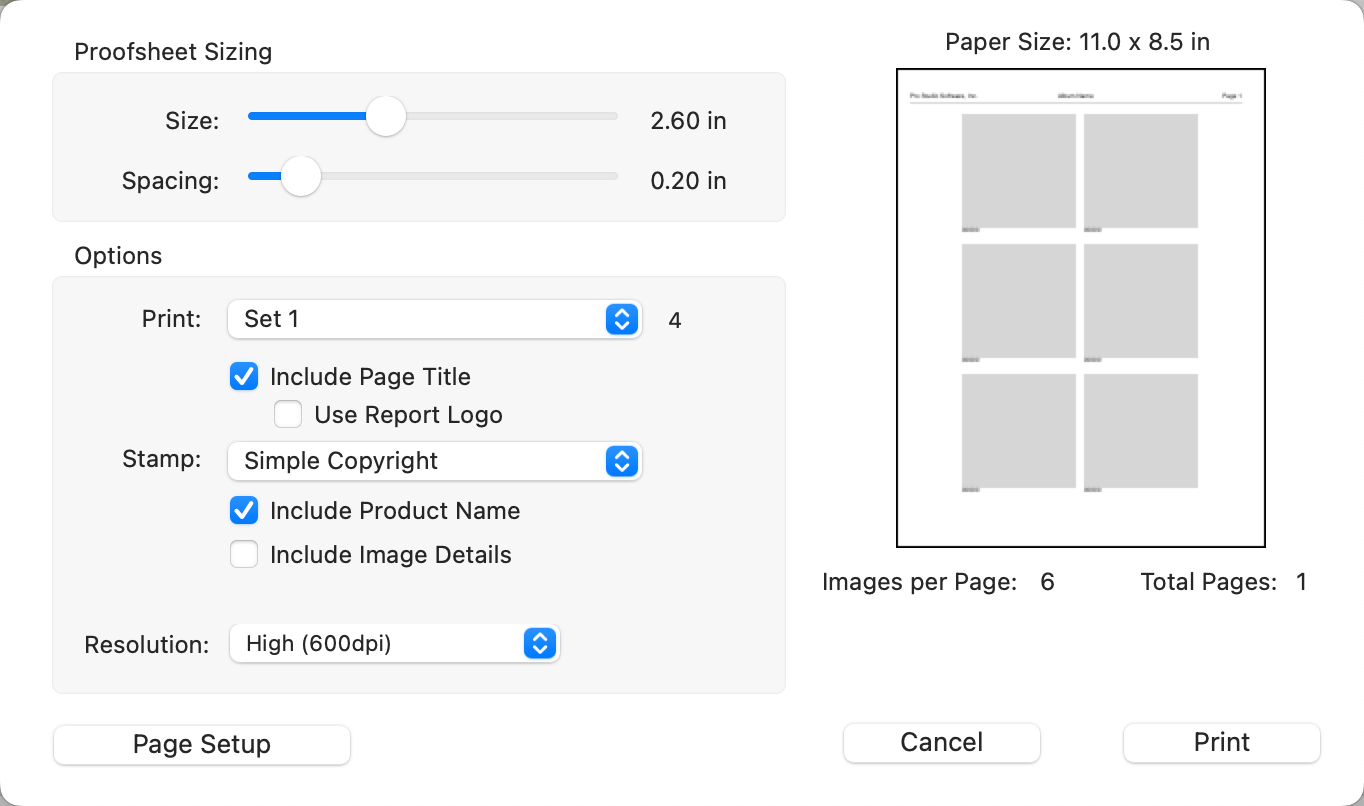
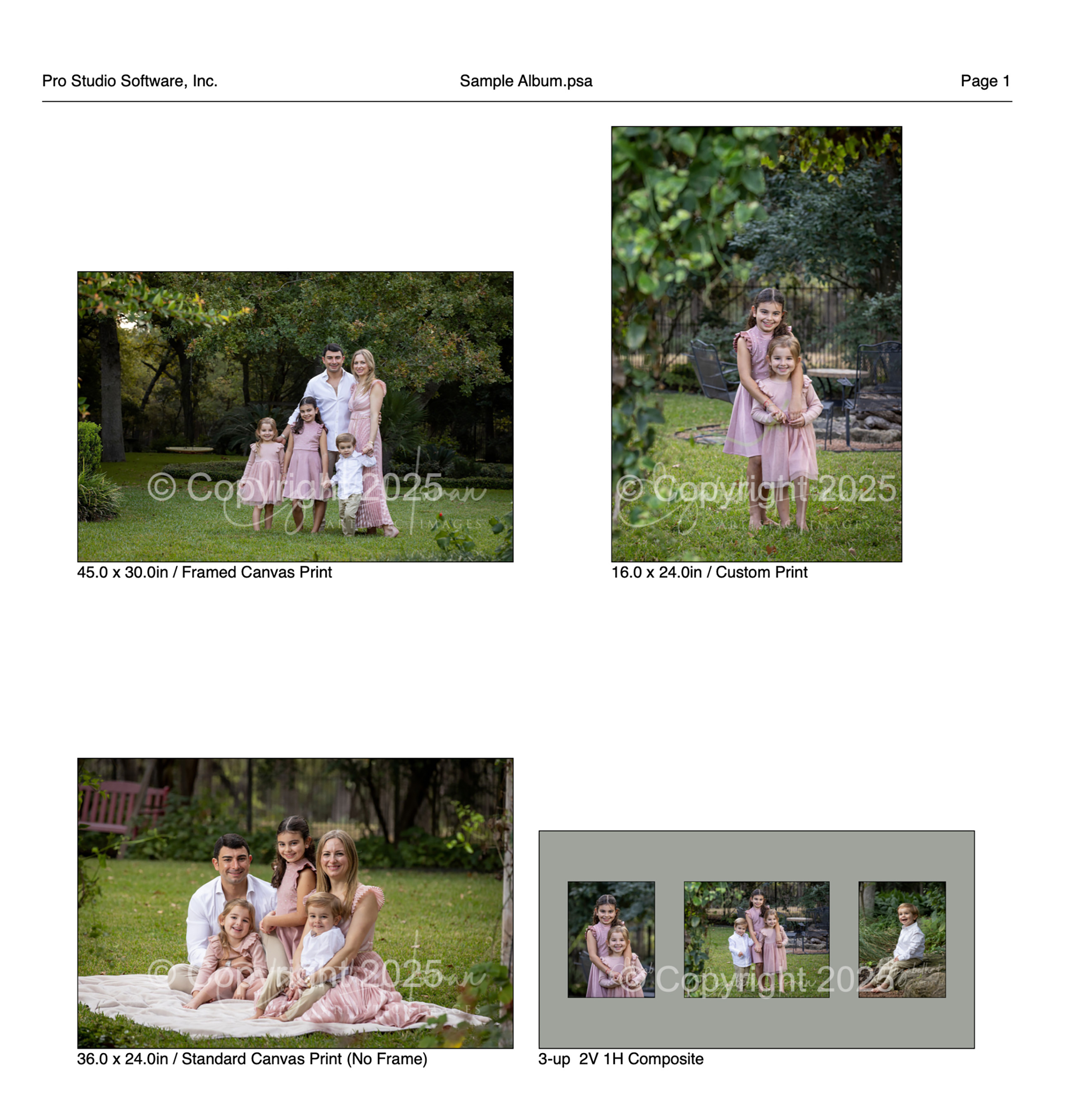
Product Proof Sheets offer various styles for printing detailed previews of your product designs.
- To print a proof sheet, go to the top menu, File > Print > Proof Sheets > Products or Selected Products.
- Here, you can adjust the size and spacing of the thumbnails using the size sliders.
- Select a set from the drop-down list.
- For additional customization, such as changing the page size, orientation, or margins, click the Page Setup button.
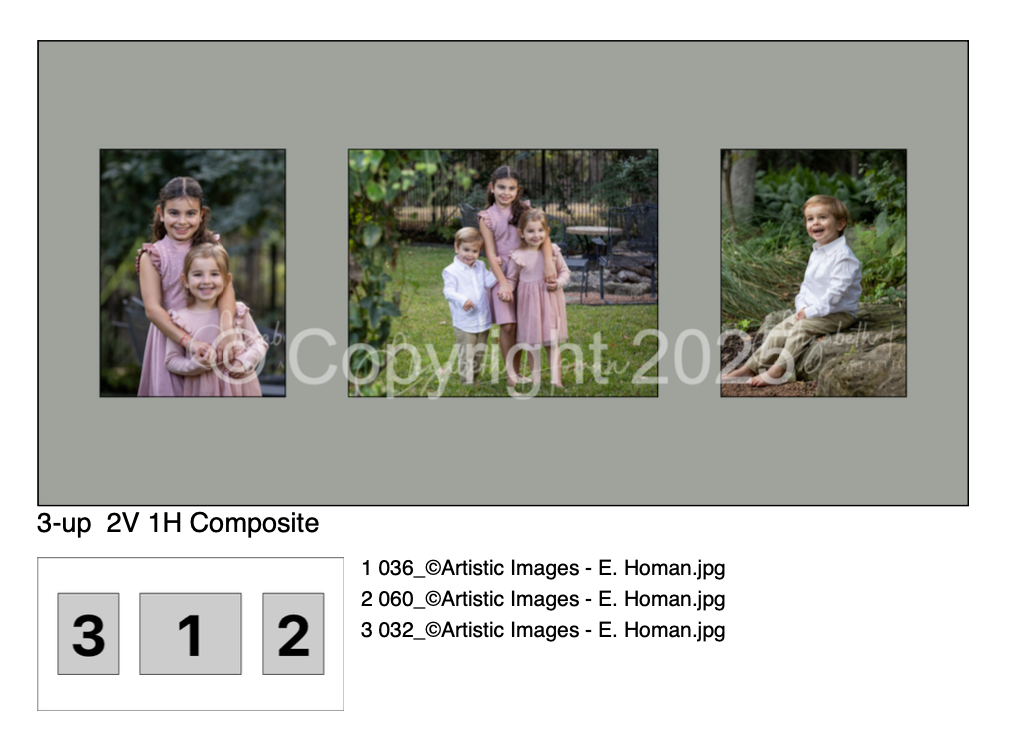
- If you select the "Include Image Details" option, each page on the proof sheet will include a legend detailing the opening numbers and filenames for each image.
- You have the option to apply a custom stamp from your configured options in the "Stamps, Watermarks & Logos" section to each image in the proof sheet.
- You may need to experiment a little to get the proof sheet layout just right for your needs. Once you’ve set your preferred options, ProSelect will remember them the next time you print a proof sheet.
Sample Product Proof Sheet
Printing Image Details
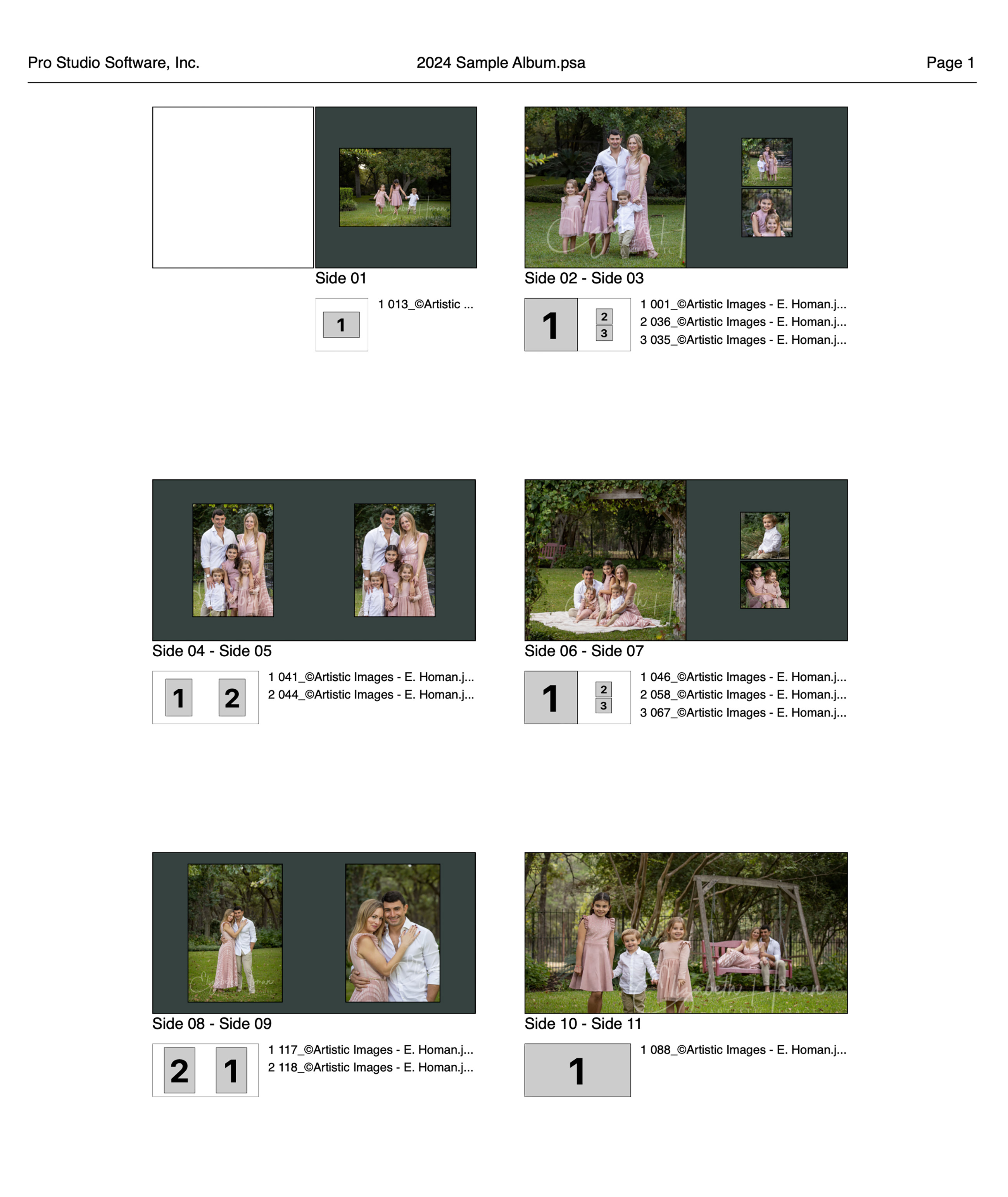
Book Page Proof Sheets offer various styles for printing detailed previews of your book pages.
- To print a proof sheet, go to the top menu, File > Print > Proof Sheets > Book Pages.
- Here, you can adjust the size and spacing of the thumbnails using the size sliders.
- Select a book from the drop-down list.
- For additional customization, such as changing the page size, orientation, or margins, click the Page Setup button.
- For books designed with double-sided pages, the proof sheet will automatically pair the pages for display.
- If you select the "Include Image Details" option, each page on the proof sheet will include a legend detailing the opening numbers and filenames for each image.
- You have the option to apply a custom stamp from your configured options in the "Stamps, Watermarks & Logos" section to each image in the proof sheet.
- You may need to experiment a little to get the proof sheet layout just right for your needs. Once you’ve set your preferred options, ProSelect will remember them the next time you print a proof sheet.
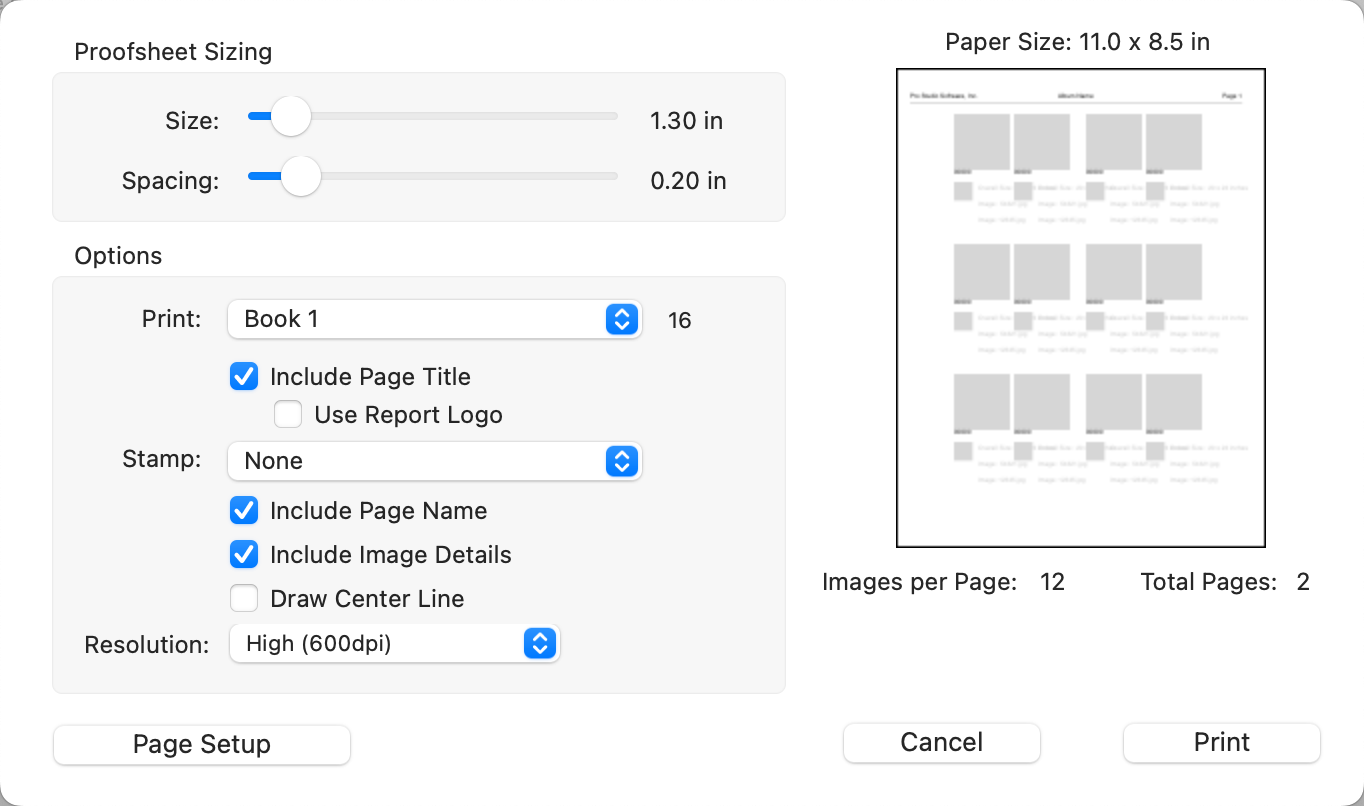
Sample Book Page Proof Sheet