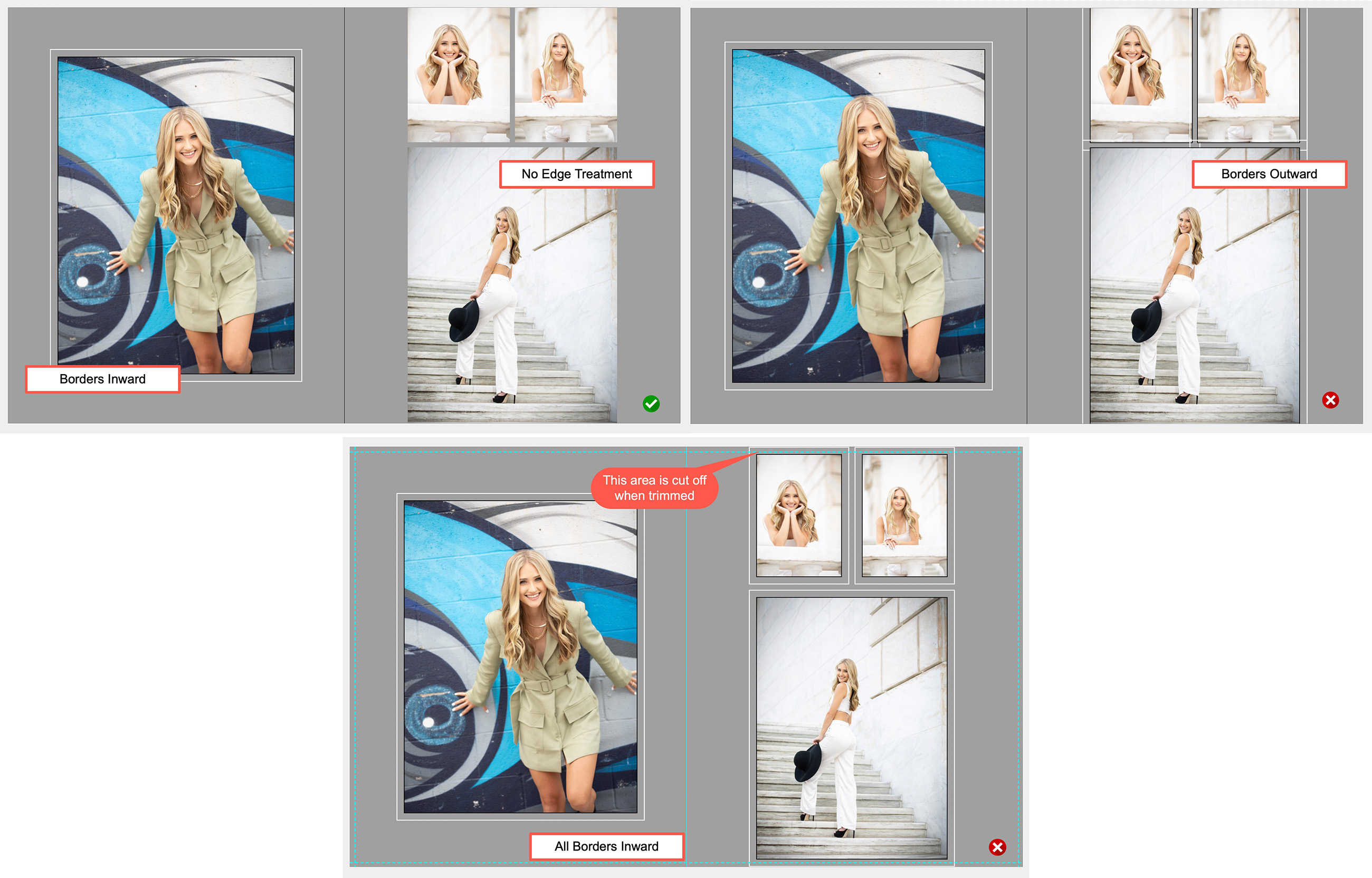
Border Settings for Book Page Templates
- By Default, borders should be set to "Borders Inward."
- If an opening has images that touch or "bleed" to the edge, they should be set to "No Edge Treatment."
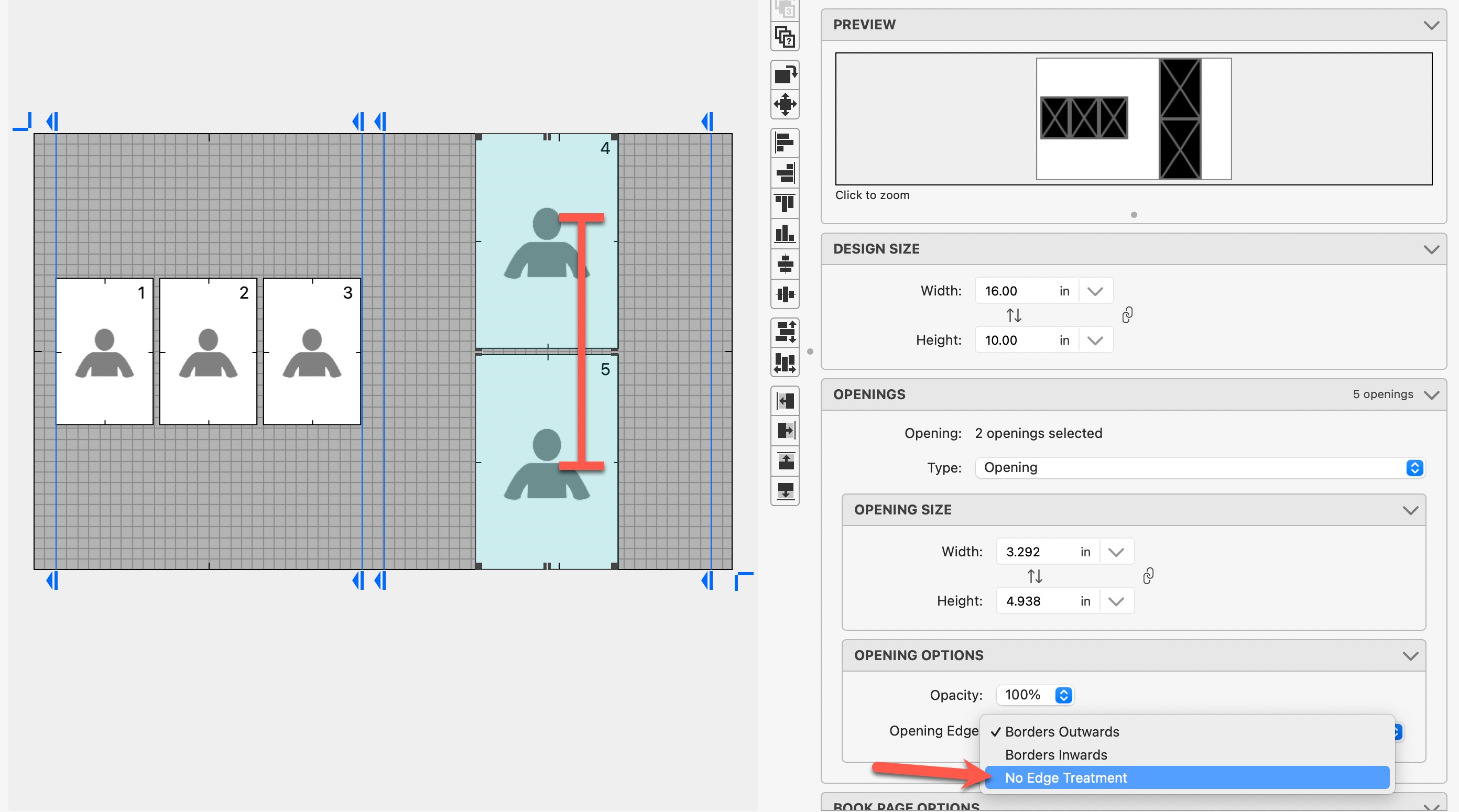
Changing the Borders setting on openings or groups of openings
- In the Product Editor, select the openings you want to change.
- Under Opening Options, Opening Edge, choose the desired setting.
Examples of how Borders affect Openings