GraphiStudio

Some supplier collections require specific setup steps or usage tips to ensure they work correctly in ProSelect. These notes may include details about setup, cropping, pricing, or how to best present the products to your clients.
Before using the items in this collection, take a moment to read the notes in the accordion below. It contains helpful guidance to save you time and help you get the most from the collection.
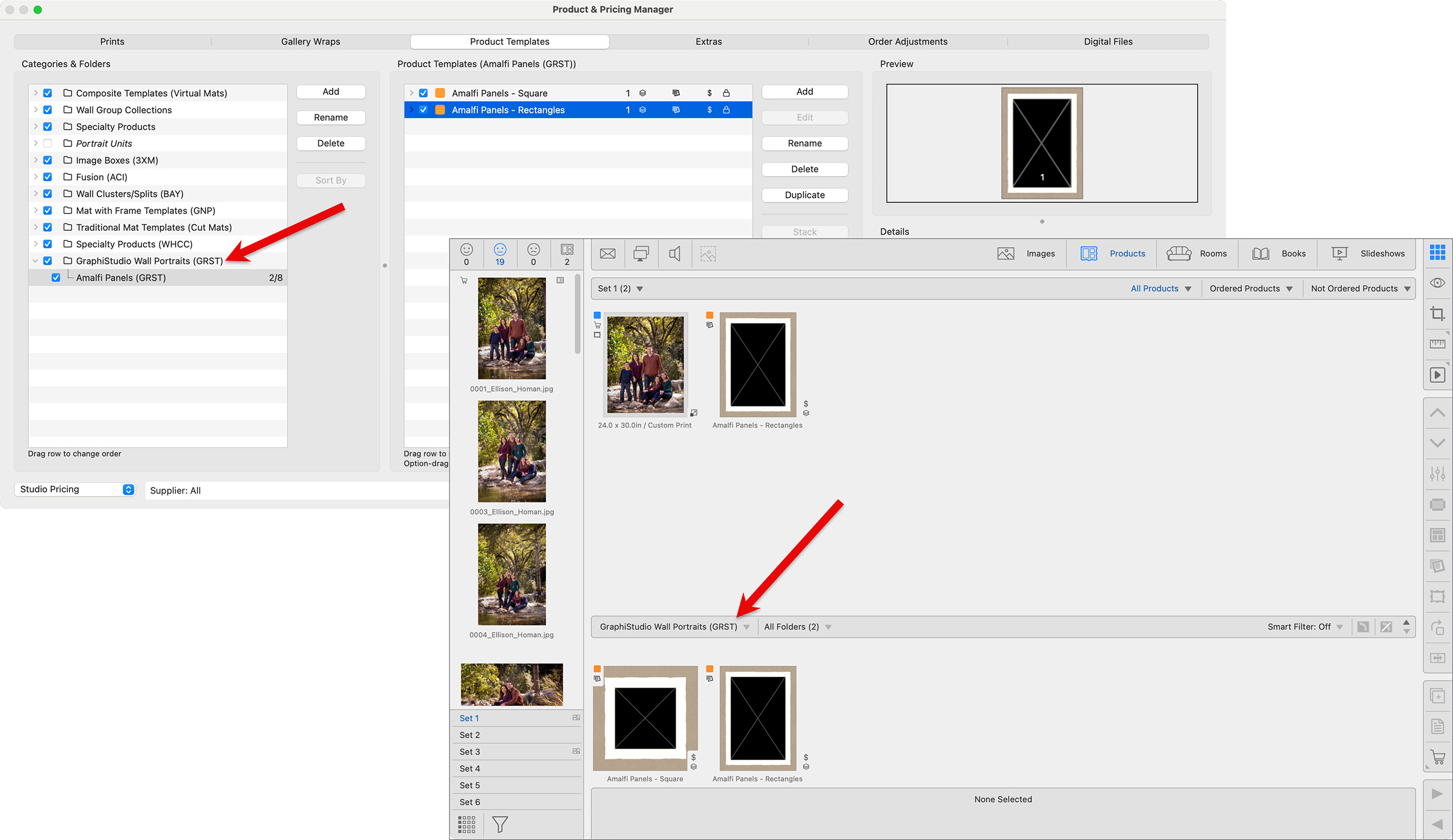
Once imported, the Amalfi Panels can be found in the folder called "GraphiStudio Wall Portraits."
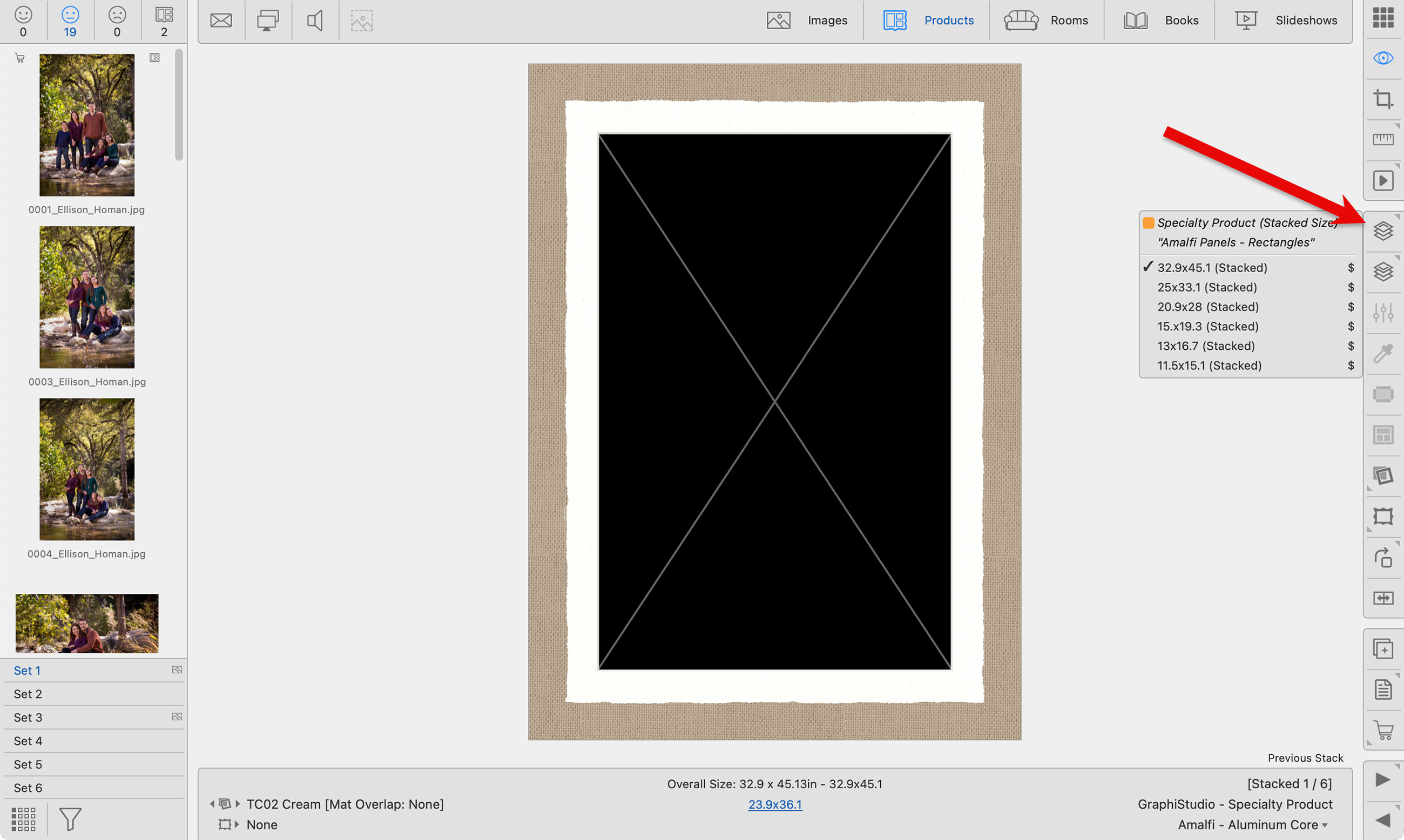
The various sizes for the formats are stacked together. Once you add an image to the template, you can use the Next  or Previous
  Stack tools to move through the sizes while in Room View or Actual Size View. Products can also be rotated from vertical to horizontal by using the Rotate Product Right tool
  .
.
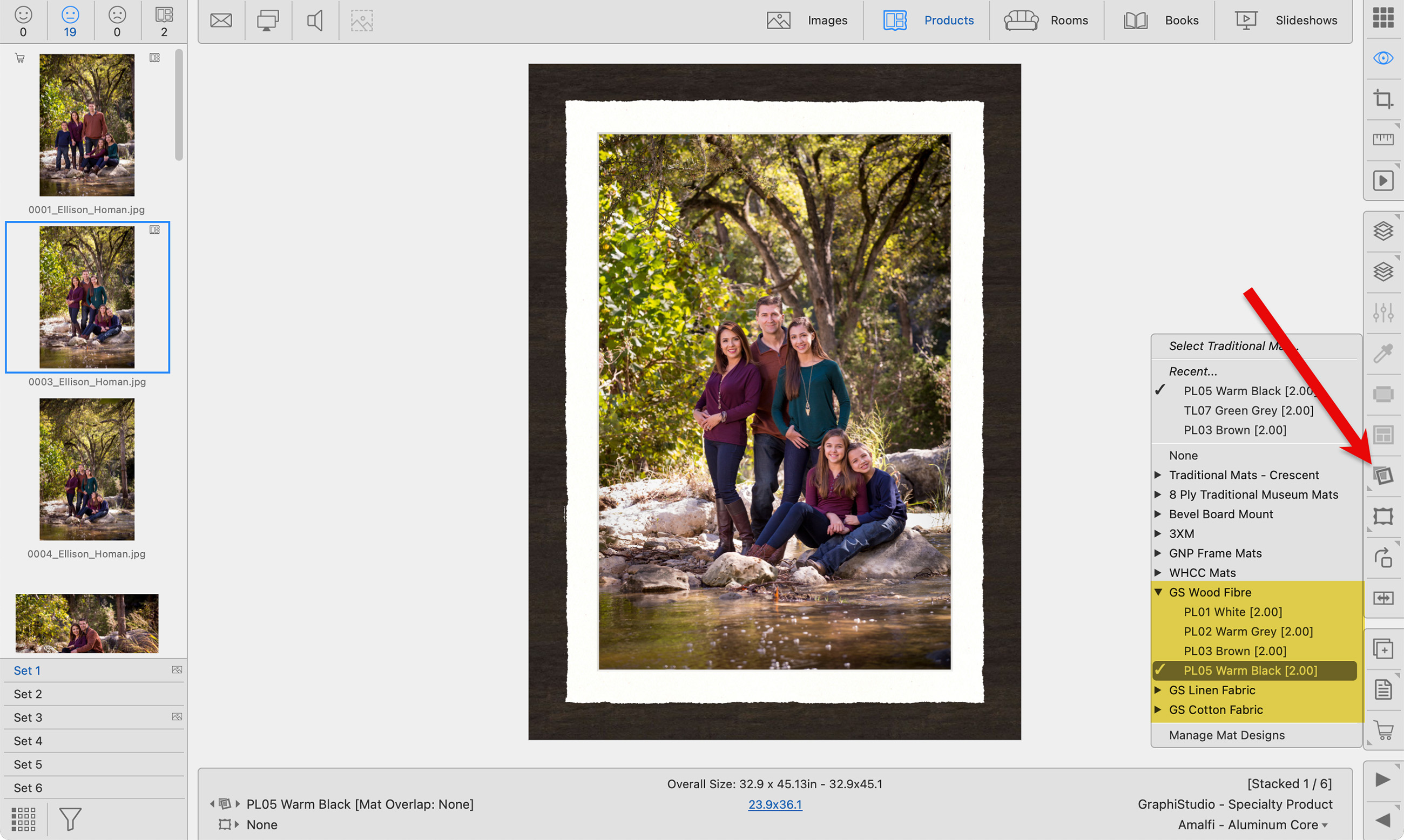
The Front Panel fabric or texture can be changed by clicking the Traditional Mat tool. Select a different fabric or texture material from the groups: GS Cotton Fabric, GS Linen Fabric, or GS Wood Fibre.